

Is this job ready to produce?
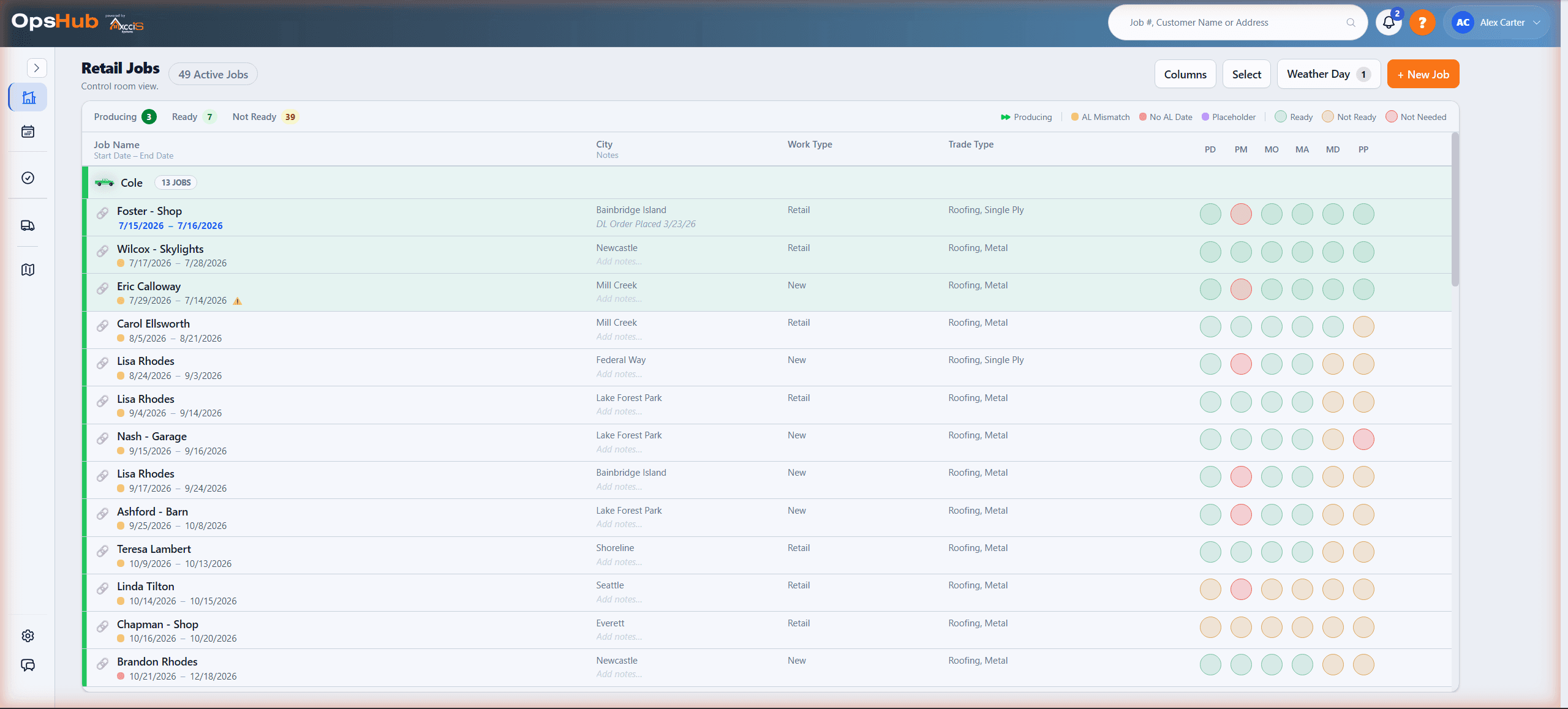
Right now, answering that means opening every job one at a time — is the permit pulled, is the material in, is the crew set? OpsHub puts readiness and the exact blockers for every job on one dashboard, before any scheduling decision gets made.
Execution depends on readiness.
If materials aren't ordered, delivered, and staged — crews don't work. OpsHub was built in this environment because it forces operational truth. That same truth applies to any trade where execution depends on readiness.
How OpsHub works
Capture readiness signals
Material orders, deliveries, site prep, and crew availability all feed into one view.
Schedule with constraints
See what actually blocks the start date before you promise it to the customer.
Execute and learn
Connect what you scheduled with what actually happened to improve crew performance.
Ready vs blocked across every job at once — open a job to see exactly what's holding it.
OpsHub in twenty-one seconds
A date in a cell isn't a promise you can keep — readiness is.
Platform Admin Console
A private command center for platform admins to monitor trial health, adoption, and account activity across all companies — without digging.
Trials & Conversions
See who's onboarding, who's stalling, and who converts — with clear dates and status.
Engagement Health
Jobs created, crews created, scheduling activity, and last active — instantly.
System Oversight
Admin controls and an audit trail so nothing is mysterious.
The jobs view shows what's ready, what's blocked, and what moves next.
- • Materials ordered
- • Material availability confirmed
- • Delivery scheduled (and tracked)
- • Site readiness: access, permits, porta potty, staging
- • Crew assignment aligned to reality
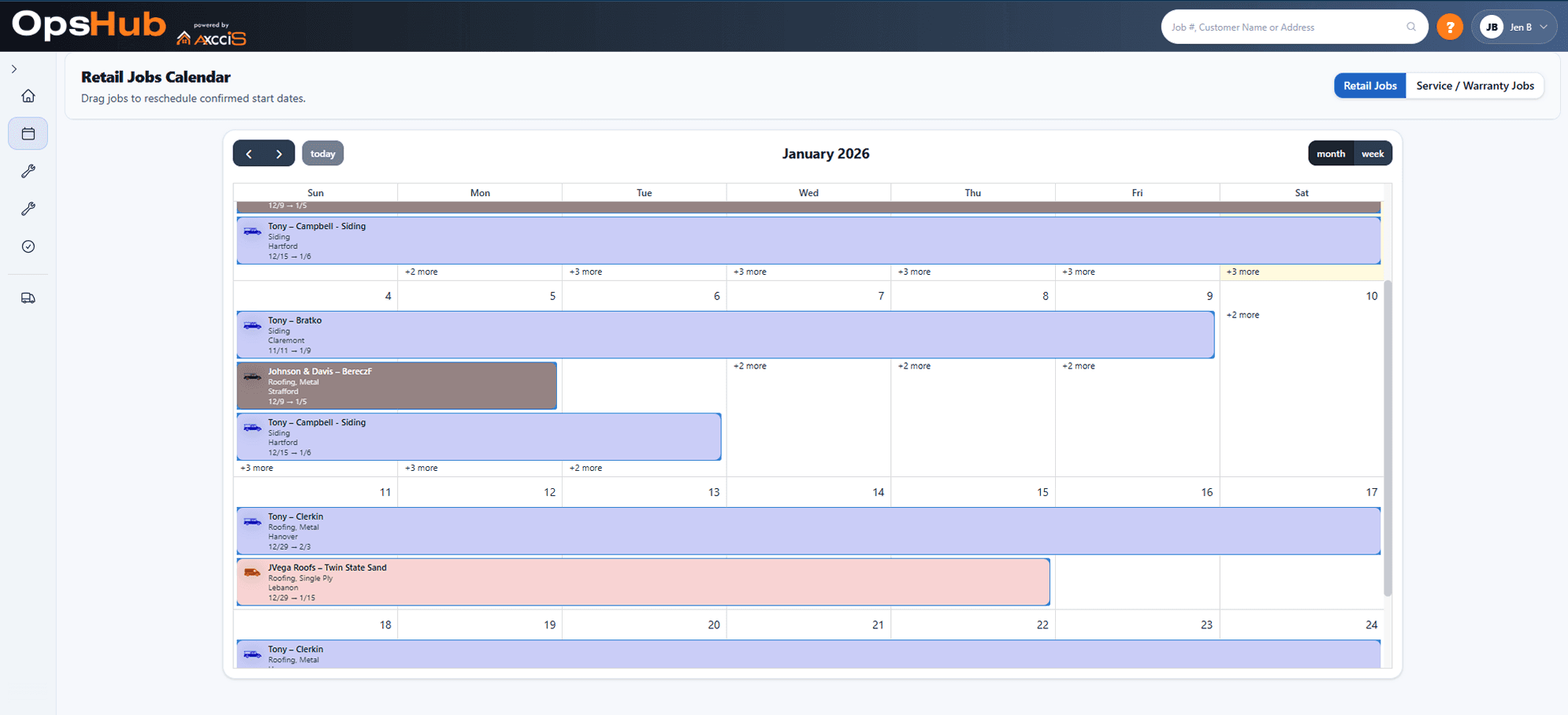
See exactly who's on what — and move things when plans change.
The calendar gives you a clear crew-by-crew view of what's scheduled and when. Spot conflicts, gaps, and overloads at a glance — then drag and reassign without losing the readiness context behind each job.
- • See all active crews across the week in one view
- • Identify overloaded days before they become problems
- • Reassign jobs to crews without leaving the calendar
- • Readiness status travels with the job when you move it
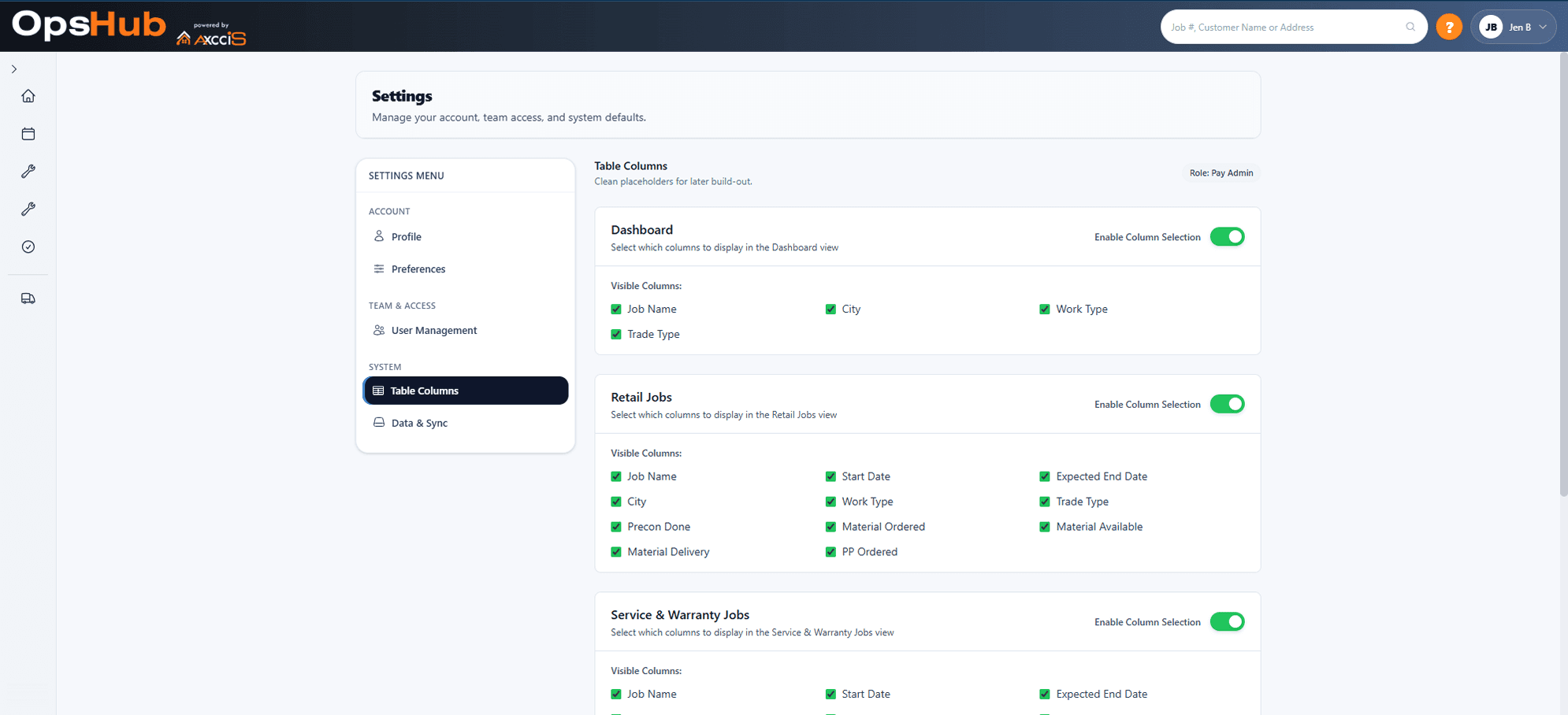
Make the view match the operator.
OpsHub stays clean because you can hide what you don’t need and focus on the signals that matter for your trade and workflow.
Why not spreadsheets?
- They can't show readiness. A date in a cell isn't a promise you can keep.
- They don't hard-date with constraints. You can't link delivery to crew availability to site prep in a way that updates automatically.
- They don't keep one truth for ops + field. When the site changes, the schedule becomes fiction.
Simple, scalable pricing
Base plan covers your parent company and includes 1 division. Each additional division is billed on top of that.
All pricing billed at the parent company level. View full pricing →
One platform, not a bundle of subscriptions
AccuLynx is where the jobs live. OpsHub is where the operation runs — and the modules below come with it. Turn each one on for the divisions that need it.
PayHub
Subcontractor invoicing on one structured submission form — complete and consistent at entry.
Learn more →BookHub
AI phone answering that books the appointment during the call, straight into AccuLynx.
Learn more →SkyHub
Skylight measurement and catalog matching for faster field decisions.
Learn more →SkyHub is also available on its own for teams that only need measurement.
Connect your systems
Pull job data from the tools you already use into OpsHub automatically.
AccuLynx
Sync jobs directly from AccuLynx into OpsHub. No manual entry.
Want the start date to mean something again?
OpsHub makes readiness visible so you stop scheduling on hope.